Wan 2.7 Reference to Video

Keep characters, products and styles consistent with up to 5 reference images.

2-10sAudio8-55 creditsImage to Video

Creative Vision

Say what each reference is for and what should happen: who does what, where, and how the camera moves.

0/5000

Video Parameters

5s
2s10s
Production Cost
20
Credits Balance
Loading...

Cinema Preview

Ready for Production
Configure your settings and begin creating your cinematic masterpiece

Generation History0 records

Latest 10 records • Available 7 days

Wan 2.7 Reference to Video

Give Wan 2.7 up to five pictures of what must stay the same — a character, a product, a place, a style — and describe the scene they belong in. The video is built around those references instead of a single starting frame, so the same subject can move, change angle or share the shot with other references across 2 to 10 seconds.

One clear subject per reference image works better than a busy collage.

Wan 2.7

References, not a starting frame

Reference images tell Wan 2.7 what to keep; your prompt decides what happens to it.

Consistency

Keep a subject consistent

Upload a character, a product or an object and Wan 2.7 carries its look into a new scene. Unlike image to video, the reference does not have to be the first frame — the subject can appear from a new angle or in a different setting.

Composition

Combine up to five references

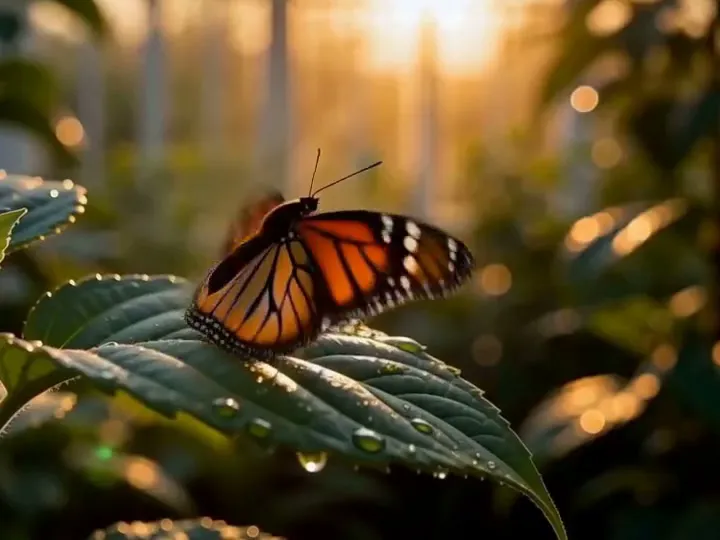
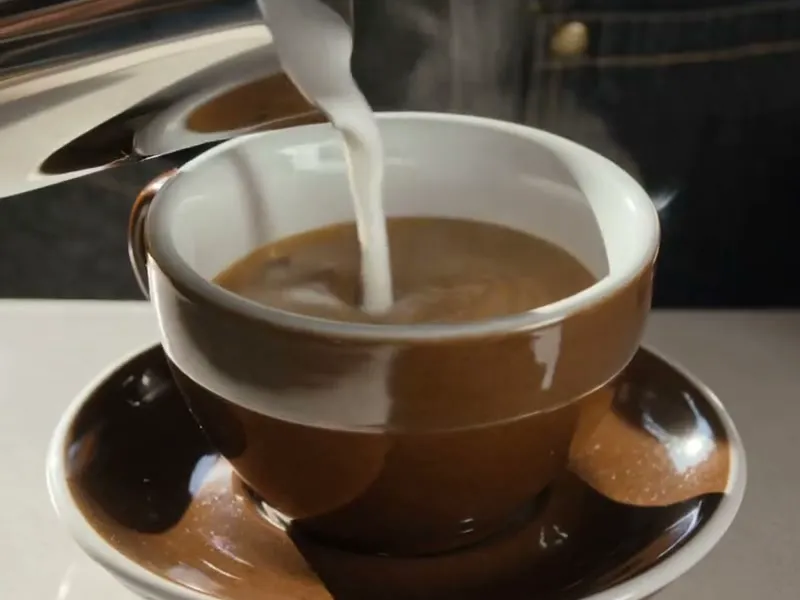
Put a subject, a second subject and a location together in one clip: a butterfly, a coffee cup and a tram street became one café scene in our sample below. Each reference should show one thing clearly.

Output

Choose the output shape and quality

Generate at 720p or 1080p in 16:9, 9:16, 1:1, 4:3 or 3:4, from 2 to 10 seconds. The ratio is yours to pick because no reference is treated as the opening frame.

Control

Fine-tune with Advanced settings

Rule out artefacts with a negative prompt of up to 500 characters, turn the prompt optimizer off when you want your wording used as written, and fix a seed to compare runs.

Say what each reference is for

The model only knows what the images show. Your prompt tells it which one is the hero, which one is the setting and what should happen.

1–5 reference images · 2–10 seconds · 720p or 1080p
Wan 2.7

How to use Wan 2.7 reference to video

Collect the references, name them in the prompt, generate.

1
Step 1

Upload one to five reference images

JPEG, PNG or WebP, up to 30MB each. Crop each image tightly around the thing it represents and avoid text or logos you do not want copied into the video.

2
Step 2

Describe the scene by what the references show

Refer to each image by its content: “The orange butterfly from the butterfly image lands on the rim of the coffee cup; outside the window the red tram rolls past.” Then add the camera move and the light.

3
Step 3

Pick length, resolution and ratio

Start at 720p and a few seconds to check the composition, then generate the final version at 1080p. The credit cost updates as you change the settings.

Auto-playing timeline

Say what each reference is for

The model only knows what the images show. Your prompt tells it which one is the hero, which one is the setting and what should happen.

1–5 reference images · 2–10 seconds · 720p or 1080p
Made with Wan 2.7

Three references, one scene

An original Wan 2.7 reference-to-video result generated on Flow Veo 3 from the three reference images shown below. The references were cropped from our own earlier sample videos.

Reference to Video · 1080p · 9:165-second request

Butterfly, coffee cup and a passing tram
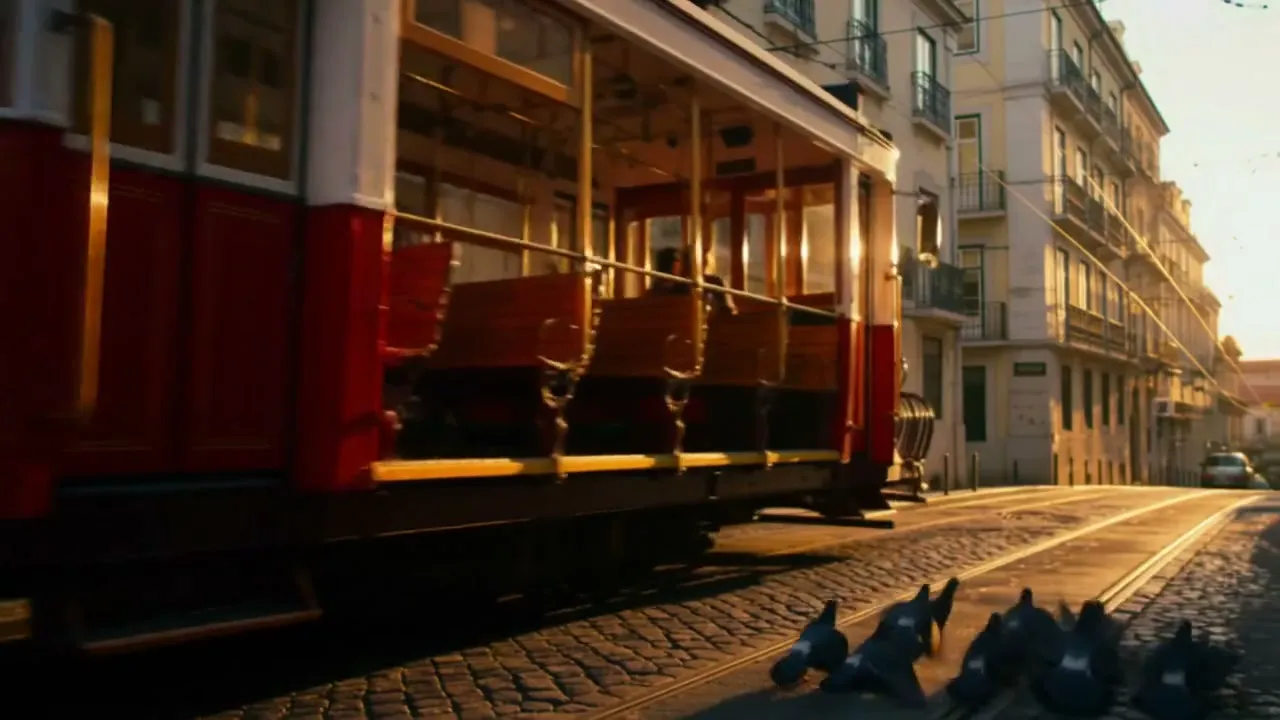
Reference image: a red vintage tram on a sunlit cobbled street lined with pale apartment buildings
Reference: tram
Reference image: an orange monarch butterfly perched on a dewy green leaf in warm backlight
Reference: butterfly
Reference image: milk being poured into a brown ceramic coffee cup on a saucer
Reference: coffee cup

Prompt: The orange monarch butterfly from the butterfly image lands on the rim of the coffee cup from the cup image, on a cafe table by a tall window. Outside, the red vintage tram from the tram image rolls past in warm evening light. Slow push-in, shallow depth of field.

Wan 2.7

Wan 2.7 Reference to Video

FAQ

Answers about reference images, prompts and output settings.

Image to video starts the clip on your picture, so the first frame is fixed. Reference to video uses your pictures as a description of what to keep — the subject can appear from a new angle, in a new place, or next to other references.

Between one and five per generation. More than five is rejected before anything is charged.

Describe each reference by what it shows — “the butterfly”, “the red tram”, “the coffee cup” — and say what each one does in the scene. Clear, single-subject references make this much easier.

Not on Flow Veo 3 yet. This page accepts reference images only.

2 to 10 seconds, 720p or 1080p, and 16:9, 9:16, 1:1, 4:3 or 3:4. The page starts at 720p and 5 seconds; switch to 1080p for the final version.

Our test generations came back with a soundtrack made by the model. There is no audio switch and sound is not charged separately.

Yes. Credits are held when you submit and returned automatically if the generation fails. Finished videos are only available for 7 days, so download the ones you want to keep.

Build your next scene from references

Upload up to five images, describe the scene and generate with Wan 2.7.